SEO Templates, Guides and Checklists to Streamline Your Strategy
Search engine optimisation involves multiple activities, including keyword research, technical audits, content optimisation, internal linking, performance monitoring and reporting. When these activities are managed without a clear process, important tasks can be overlooked, priorities become difficult to manage, and measuring progress becomes more complicated. SEO templates, guides and checklists help businesses organise these activities into repeatable workflows. Instead of starting every audit or content project from scratch, teams can follow a consistent process, document their findings and assign tasks with clear objectives. Whether you are a business owner managing your website, an SEO specialist working across multiple projects, or a digital marketer responsible for organic growth, having the right templates can make your SEO workflow more organised and efficient. In this guide, you will learn how to use SEO templates for keyword research, content planning, on-page optimisation, technical SEO, internal linking, reporting and AI search visibility. You will also find practical checklists that you can adapt to your website and marketing objectives.

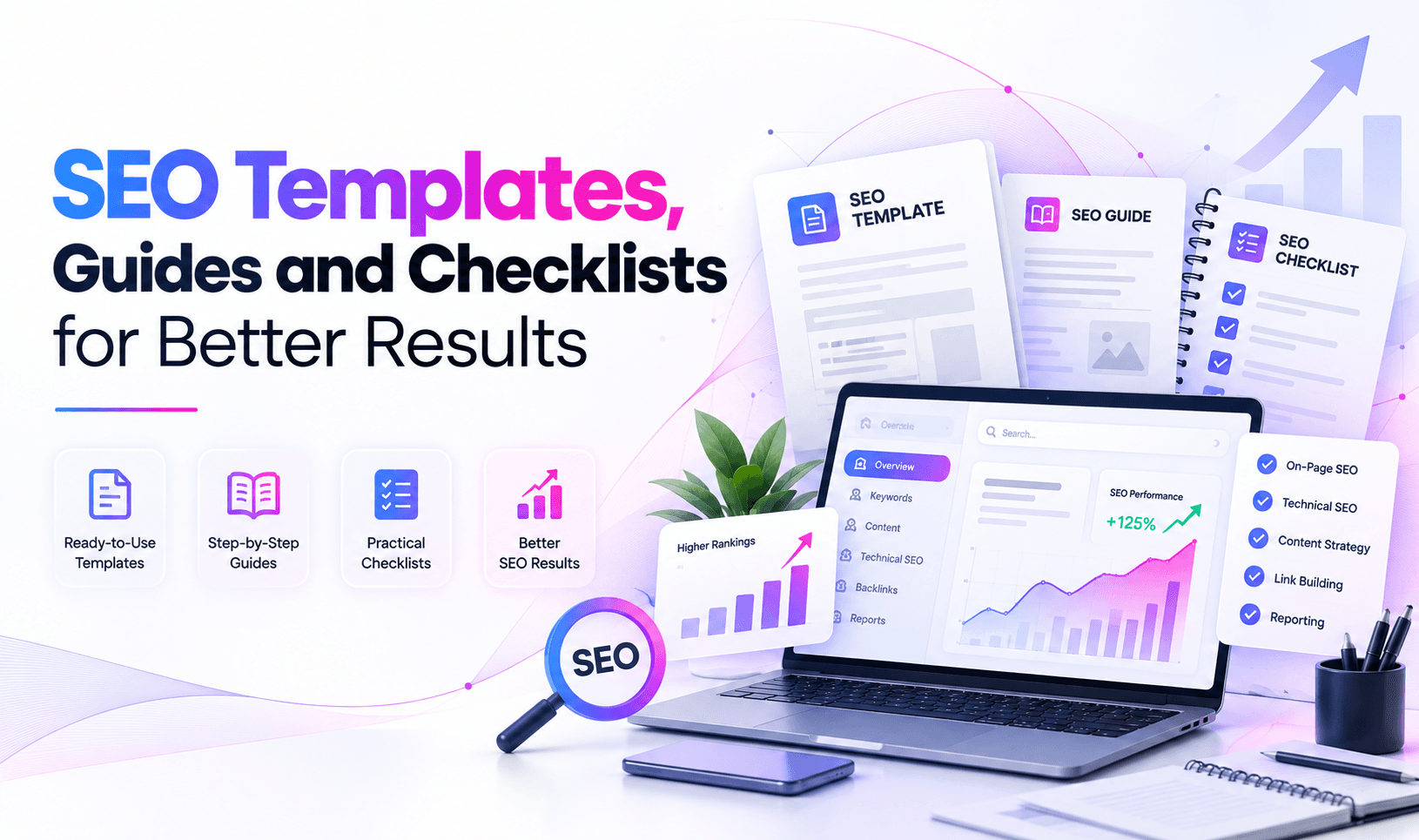
What Are SEO Templates, Guides and Checklists?
SEO templates are reusable documents, spreadsheets or structured workflows designed to organise specific search engine optimisation tasks. They provide a consistent format for collecting information, analysing performance, recording issues and planning improvements.
SEO guides explain how to complete these activities, while checklists help you confirm that the necessary steps have been completed.
Although these resources serve different purposes, they work best when used together.
For example, an SEO content brief template can help a writer organise search intent, target keywords, headings, internal links and content requirements. A content optimisation guide explains how to use that information, while a publishing checklist helps ensure that the finished page has the correct title tag, headings, links, images and indexability settings.
Common examples include:
- Keyword research templates
- SEO content brief templates
- On-page SEO checklists
- Technical SEO audit templates
- Website content audit spreadsheets
- Internal linking templates
- Local SEO checklists
- Link-building outreach trackers
- SEO reporting dashboards
- Answer Engine Optimisation (AEO) and Generative Engine Optimisation (GEO) checklists
The objective is not to create paperwork for every activity. It is to establish a practical system that makes SEO work easier to plan, execute, review and improve.
Why Are SEO Templates Important for Businesses?
A well-organised SEO process helps businesses manage priorities and maintain consistency as their websites grow. Templates are particularly useful when several people contribute to keyword research, content production, website development and performance reporting.
1. Maintain consistency across SEO projects
Without a standard process, different team members may approach the same task in different ways. One writer might include search intent and internal links in a content brief, while another may focus only on keywords.
A reusable template establishes minimum requirements for every project.
For example, a standard content brief can require each writer to document the target audience, primary keyword, search intent, recommended headings, relevant internal links, authoritative sources and conversion objective.
2. Reduce repetitive work
Many SEO activities follow similar steps. A technical audit, for example, typically involves reviewing crawlability, indexability, status codes, canonical tags, redirects, XML sitemaps and internal links.
A reusable audit template eliminates the need to rebuild the same checklist for every website.
Teams can focus more time on interpreting findings and implementing improvements instead of repeatedly preparing documents.
3. Improve communication between teams
SEO projects frequently involve content writers, developers, designers, marketing managers and business owners.
A structured template helps communicate what needs to be done, why it matters, who is responsible and how completion will be verified.
For example, a technical SEO issue should identify the affected URL, the observed problem, the recommended correction, its business impact, the responsible person and the verification method.
4. Make performance easier to measure
SEO activities should connect to measurable outcomes. Templates can help teams record baseline performance, implementation dates, target metrics and subsequent results.
Google Search Console provides information about search impressions, clicks, click-through rates and average positions. These metrics can be recorded alongside the work completed to understand how organic search performance changes over time.
However, rankings and traffic can fluctuate for many reasons. Recording an activity does not automatically establish that it caused a particular result.
5. Support consistent quality checks
A publishing checklist can help prevent avoidable mistakes, such as missing titles, broken links, incorrect canonical tags, unsuitable redirects and accidentally blocked pages.
Consistency is particularly valuable for websites publishing content regularly or managing multiple service pages.
Essential SEO Templates Every Marketing Team Should Use
The templates you need depend on your website, resources and objectives. Most businesses can start with a small collection covering research, content, technical optimisation and reporting.
1. Keyword Research Template
A keyword research template helps organise search queries according to audience needs, search intent, relevance and business value.
Instead of selecting keywords only because they have high search volumes, evaluate how closely each query matches the page you intend to create and the needs of your potential customers.
A practical keyword research spreadsheet can include:
| Field | Purpose |
|---|---|
| Target keyword | The primary search query for the page |
| Secondary keywords | Closely related queries and subtopics |
| Search intent | Informational, commercial, transactional or navigational |
| Target audience | The people the content is intended to help |
| Search volume | Estimated monthly search demand, where available |
| Keyword difficulty | A third-party estimate of ranking competition |
| Current ranking URL | The existing page, if the website already ranks |
| Competitor pages | Relevant pages appearing in search results |
| Content opportunity | The information or solution the page should provide |
| Target URL | The page assigned to the keyword group |
| Priority | The relative importance of the opportunity |
| Status | Researching, planned, in progress, published or reviewed |
Example:
Suppose a website development company wants to attract businesses looking for professional website development services.
The keyword group might include:
- Primary keyword: website development company in India
- Secondary keyword: professional website development services
- Related topic: custom website development
- Search intent: commercial
- Target page: the relevant website development service page
- Content objective: explain the services, process, expertise and next steps for prospective customers
These are example keyword assignments, not claims about current search volumes or rankings.
Once your research is complete, group closely related queries according to intent and assign them to the most appropriate pages. Avoid creating multiple pages that compete to satisfy exactly the same search need without a clear reason.
2. SEO Content Brief Template
An SEO content brief provides writers with the information they need before drafting an article, service page or landing page.
A useful brief should guide the content without forcing writers to repeat keywords unnaturally or follow a rigid word count that does not suit the topic.
Include the following information:
- Working title and proposed URL
- Primary keyword and related search queries
- Target audience
- Search intent
- Main question the page must answer
- Reader problems and information needs
- Recommended H1, H2 and H3 structure
- Topics that require explanation
- Relevant internal links
- Reliable external references
- Examples, evidence or original insights to include
- Brand voice and editorial requirements
- Author and reviewer
- Suggested call to action
- Metadata requirements
- Content review and publishing status
For example, an article about technical SEO should explain how technical issues affect crawling, indexing and website accessibility. It should also provide practical diagnostic steps and link to relevant documentation rather than simply repeating generic SEO advice.
A good content brief connects search intent with reader needs and the business objective. It should not treat keyword density, a fixed number of headings or an arbitrary word count as the main measures of quality.
3. On-Page SEO Checklist
On-page SEO involves improving a page's content and elements so that search engines and visitors can understand its purpose.
Use the following checklist when creating or updating a page.
Before publishing:
- Confirm the primary purpose of the page.
- Identify the intended audience and search intent.
- Write a descriptive, relevant page title.
- Create a clear and useful meta description.
- Use one clear main heading that describes the page.
- Organise supporting information under logical H2 and H3 headings.
- Include relevant keywords naturally where they help explain the topic.
- Answer the main reader question early in the content.
- Add relevant examples, explanations and supporting evidence.
- Link to related pages on your website where useful.
- Include authoritative external references when they support the discussion.
- Write descriptive anchor text for links.
- Add meaningful alternative text to informative images.
- Compress images appropriately without sacrificing necessary quality.
- Check for spelling, grammar and factual accuracy.
- Verify the canonical URL.
- Confirm that the page can be crawled and indexed as intended.
- Test important links and calls to action.
- Review the page on mobile devices.
- Check structured data where relevant.
- Confirm that the page offers meaningful value beyond existing content.
Not every page needs every possible element. The checklist should be adapted to the page type and its purpose.
Google's SEO Starter Guide provides additional guidance on helping search engines understand website content.
4. Technical SEO Audit Template
Technical SEO helps search engines access, crawl, interpret and index a website. Technical problems can limit organic search performance even when the content is relevant and useful.
A technical audit template should document findings in a format that developers and SEO specialists can act upon.
Recommended fields include:
| Field | What to record |
|---|---|
| URL | The affected page or resource |
| Issue category | Crawling, indexing, status code, canonical, performance or another category |
| Observed behaviour | What the audit actually found |
| Evidence | Crawl data, response headers, screenshots or relevant reports |
| Impact | The potential effect on users, crawling or indexing |
| Priority | High, medium or low, based on evidence |
| Recommended action | The specific correction required |
| Owner | The person or team responsible |
| Status | Open, in progress, resolved or verified |
| Verification | How the correction will be checked |
Review the following areas during an audit:
Crawling and indexability
- Review robots.txt rules.
- Check important URLs for unintended noindex directives.
- Review HTTP response codes.
- Identify broken internal links.
- Check whether important pages are accessible to crawlers.
- Verify XML sitemap accessibility and submitted URLs.
Canonicalisation and redirects
- Review canonical tags on important pages.
- Check for conflicting canonical signals.
- Identify redirect chains and unnecessary redirect hops.
- Check for redirect loops.
- Verify that migrated URLs resolve to the correct destinations.
Website structure
- Review internal linking to important pages.
- Identify orphaned pages where possible.
- Check navigation and breadcrumb functionality.
- Review duplicate or near-duplicate content.
- Confirm that important pages are not unnecessarily buried in the site structure.
Performance and mobile usability
- Review Core Web Vitals.
- Check image sizes and loading behaviour.
- Investigate unnecessary scripts and other performance bottlenecks.
- Test important page templates on mobile devices.
- Check that navigation, forms and calls to action function correctly.
Structured data
- Identify relevant structured data types.
- Validate the markup using appropriate testing tools.
- Check that structured data matches visible page content.
- Correct errors that affect the intended implementation.
- Monitor enhancements or warnings reported by Google where applicable.
A template should help you prioritise problems rather than treating every warning as equally important.
For example, an important service page returning an unintended 5xx server error may require immediate attention. A minor optional structured data warning may have a much lower priority.
Do not implement technical changes in bulk without confirming the issue, assessing its impact and planning an appropriate verification or rollback process.
5. Content Audit and Optimisation Template
A content audit helps you evaluate existing pages and determine whether they need updating, consolidating, redirecting or leaving unchanged.
Create a spreadsheet with the following fields:
- URL
- Page title
- Main topic
- Primary search intent
- Publication date
- Last substantive update
- Organic clicks
- Search impressions
- Average search position
- Organic landing-page sessions, where available
- Conversions or leads, where relevant
- Content quality observations
- Outdated information
- Missing subtopics
- Internal linking opportunities
- Recommended action
- Priority
- Assigned owner
- Review date
Use the findings to classify pages into practical categories.
Update: The page addresses a relevant topic but contains outdated information, incomplete explanations or missing details.
Improve: The page has a useful foundation but needs better organisation, examples, internal links or clearer answers.
Consolidate: Multiple pages overlap substantially and may benefit from a carefully planned consolidation when doing so improves the overall experience.
Retain: The page continues to serve its intended purpose and does not need unnecessary changes.
Investigate: Performance has changed significantly, but the cause is not yet clear.
Do not automatically delete pages because they have low traffic. A page may support conversions, answer an important customer question or serve a specialised audience. Evaluate its purpose, quality, links, historical performance and relationship to other pages before making a decision.
Google's guidance on creating helpful, reliable, people-first content is a useful reference when reviewing content quality.
6. Internal Linking Template
Internal links help users navigate between related pages and help search engines discover relationships between website content.
An internal linking template makes it easier to identify relevant connections between blogs, service pages, category pages and supporting resources.
Record the following information:
- Source URL
- Destination URL
- Suggested anchor text
- Relationship between the pages
- Reason for adding the link
- Implementation status
- Verification status
For example, a blog explaining website security could link to a relevant website development or security service page when the link helps readers understand the available solution.
A blog about keyword research could link to a related guide about content optimisation, while a service page could link to supporting articles that answer common customer questions.
Use descriptive anchor text that tells readers what to expect. Avoid adding links merely to increase the number of internal links on a page.
A practical internal linking checklist includes:
Important service and category pages have relevant internal links.
Related articles link to one another where appropriate.
- Anchor text describes the destination accurately.
- Links point to the preferred, working URLs.
- Important pages are not isolated from the site's internal navigation.
- Links help readers continue their journey.
- Redirected or broken internal links are corrected where appropriate.
- Links are tested after implementation.
Review Google's guidance on crawlable links when evaluating how links are implemented.
7. Local SEO Checklist
Businesses serving customers in specific cities or service areas need a local SEO process that reflects their actual locations and eligibility.
A local SEO checklist can help manage business information, local landing pages, customer reviews and location-specific content.
Business information
-
Verify the accuracy of the business name, address and contact details where applicable.
- Maintain consistent business information across relevant platforms.
- Review Google Business Profile eligibility and follow Google's guidelines.
- Select accurate business categories.
- Keep business hours and service information up to date.
- Monitor customer reviews and respond professionally.
Website optimisation
- Create useful location pages when the business genuinely serves those locations.
- Explain the services available in each area.
- Include relevant local information rather than changing only the city name.
- Add accurate contact details and appropriate calls to action.
- Link location pages to relevant services.
- Check that location pages are accessible and indexable.
- Implement relevant structured data where appropriate and supported by the page content.
Measurement
- Monitor relevant local search queries.
- Review Google Business Profile performance where available.
- Track calls, enquiries and form submissions.
- Review the quality of leads rather than relying only on traffic.
- Document changes to listings and location pages.
Local SEO should reflect a real business and its legitimate service area. Do not create misleading addresses, fake locations or duplicate listings to target additional cities.
8. Link-Building and Digital PR Template
A link-building tracker helps teams manage outreach, evaluate potential publishers and record the status of relationship-building activities.
Useful fields include:
- Publisher or website
- Website URL
- Relevant topic
- Audience relevance
- Contact person, if publicly and appropriately available
- Outreach date
- Proposed contribution or resource
- Follow-up status
- Response
- Publication URL
- Link attributes, where relevant
- Referral traffic or other observed outcomes
- Notes
Prioritise opportunities based on editorial relevance, audience value and the usefulness of the proposed contribution.
Examples include contributing expert commentary, publishing original research, sharing useful industry resources or providing a genuinely helpful article to a relevant publication.
Avoid treating link acquisition as a volume target. Paid links intended to manipulate rankings, automated link schemes and irrelevant mass outreach can create risks without providing meaningful value to users.
9. SEO Reporting Template
An SEO report should help decision-makers understand performance, identify changes and determine what to do next.
A report that contains rankings and traffic figures without interpretation may be difficult to use. The most useful reports connect observed performance with business objectives and planned actions.
Include these sections:
Executive summary
Summarise the most important changes during the reporting period, the main opportunities and the actions requiring attention.
Organic search performance
Record relevant metrics such as:
- Total organic clicks
- Search impressions
- Click-through rate
- Average search position
- Organic landing-page sessions
- Conversions and qualified leads
- Revenue, where reliable attribution is available
Page and query analysis
Identify pages and search queries that gained or lost visibility. Investigate possible explanations instead of assuming that every change resulted from a specific SEO activity.
Technical SEO status
Summarise important crawlability, indexing, server response, canonicalisation and performance findings.
Content performance
Report on published or updated content, content quality improvements and opportunities identified through performance data.
Business impact
Where tracking is reliable, connect organic activity to enquiries, sales or other business outcomes.
Next month's action plan
Document each action, its rationale, priority, owner, expected outcome and verification method.
Google Search Console is an important resource for analysing Google Search performance. You can access it through the official Search Console website.
Use consistent date ranges and comparable reporting methods. If tracking or attribution changes during the period, document those changes so that stakeholders do not misinterpret the results.
SEO Templates for AEO and GEO
Search behaviour is expanding beyond conventional search engine results. People also use AI-powered tools to ask questions, compare options and obtain summaries from multiple sources.
Answer Engine Optimisation (AEO) generally focuses on making information useful and accessible for systems that provide direct answers. Generative Engine Optimisation (GEO) focuses on improving the clarity, usefulness and discoverability of content in generative search and AI-assisted experiences.
These terms are used in different ways across the industry, and there is no single checklist that guarantees inclusion in AI-generated answers.
The best approach is to build on sound SEO fundamentals while making information easy to understand, verify and navigate.
1. AEO content checklist
Use this checklist when preparing a page that answers a specific question.
- Identify the main question the page should answer.
- Provide a clear, direct answer near the relevant heading.
- Explain important terminology.
- Organise supporting information into logical sections.
- Use descriptive headings that reflect the actual content.
- Include examples, steps or comparisons when they help readers.
- Support factual claims with credible sources.
- Identify the author and reviewer accurately where appropriate.
- Keep information current when the subject changes over time.
- Ensure that important information is available in crawlable page content.
- Use relevant structured data only when the page qualifies and the markup accurately represents visible content.
- Monitor eligible search features and available performance data.
Clear answers can improve usability, but they do not guarantee that a search engine or AI system will select or display the content.
2. GEO content checklist
Use this checklist to review content intended to be useful in generative search experiences.
- Explain the subject clearly and accurately.
- Include relevant context rather than relying on isolated keywords.
- Support important factual claims with reliable references.
- Add original analysis, first-hand experience or useful examples when available.
- Clearly distinguish verified facts from estimates and opinions.
- Keep brand names, product descriptions and service information accurate.
- Explain technical terms where the audience may need clarification.
- Maintain a logical structure that readers can navigate.
- Link to related resources that add genuine value.
- Ensure the website is accessible to relevant crawlers, subject to each platform's policies and technical requirements.
- Monitor referral traffic, brand mentions and citations where measurable.
-
Review whether AI-generated descriptions of the business accurately represent its services.
There is no universally accepted GEO score or guaranteed method for securing citations in ChatGPT, Gemini, Perplexity or other AI experiences. These systems may use different retrieval methods, sources, ranking signals and product features.
Google's documentation on AI features and your website provides guidance on Google's AI search experiences. Follow the technical and content requirements published by each platform rather than assuming that one optimisation technique applies everywhere.
How to Build an Effective SEO Workflow Using Templates
Templates deliver the most value when they form part of a connected workflow. Creating multiple spreadsheets without assigning responsibilities or reviewing outcomes can add complexity instead of reducing it.
Use the following process to organise your SEO activities.
Step 1: Define your SEO objectives
Begin by identifying the business outcomes you want to support.
Your objectives might include increasing relevant organic traffic, improving the visibility of service pages, generating more qualified enquiries, resolving technical problems or improving content performance.
Translate each objective into measurable indicators where possible.
For example, a business focused on lead generation may monitor qualified enquiries from organic landing pages rather than relying exclusively on keyword rankings.
Step 2: Audit your current website
Review existing pages, technical health, search performance and internal linking.
Use a technical audit template to record verified issues and a content audit template to identify opportunities for improvement.
Establish a baseline before implementing significant changes. This helps you compare later performance with the website's previous condition.
Step 3: Prioritise work by impact and effort
Not every SEO task requires immediate attention.
Evaluate tasks according to their likely impact, supporting evidence, implementation effort, dependencies and business importance.
For example, correcting an unintended noindex directive on an important landing page may take priority over rewriting several already useful meta descriptions.
A simple prioritisation system can use high, medium and low categories, provided the criteria are documented and applied consistently.
Step 4: Assign ownership and deadlines
Every important task should have a responsible person, a target completion date and a clear definition of success.
A technical issue might be assigned to a developer, while the SEO specialist defines the requirement and verifies the correction.
A content update might require a writer, an editor and an SEO reviewer.
Clear ownership reduces confusion and helps teams identify blocked tasks.
Step 5: Implement changes and verify them
Do not consider a task complete merely because someone has changed a setting or edited a page.
Verify the result.
For example, after correcting a canonical tag, inspect the rendered page and confirm that the intended canonical URL is present. After updating an internal link, check that it points to the correct destination.
Maintain implementation records for important changes, especially those involving URLs, redirects, indexability, structured data or website-wide settings.
Step 6: Review performance and refine the workflow
Compare performance against your baseline using consistent date ranges and measurement methods.
Review which tasks were completed, which issues remain unresolved and which opportunities deserve attention next.
Update your templates when the workflow changes or when recurring problems reveal that an important check is missing.
An SEO workflow should improve through evidence and experience rather than remain fixed indefinitely.
Common Mistakes to Avoid When Using SEO Templates
Templates are useful, but they can become counterproductive when treated as rigid rules rather than practical tools.
Using the same template for every page
A blog article, service page, product page and local landing page have different purposes. They may require different content sections, conversion elements and technical checks.
Start with a shared foundation, then adapt the template to the page type.
Prioritising keywords over search intent
Including a target keyword does not automatically make a page useful.
Understand the question or task behind the search, then create content that satisfies that need. Use related terms naturally when they improve clarity and completeness.
Treating every audit warning as a critical issue
Audit tools can identify potential problems, but their findings need context.
Validate the affected URL, examine the actual implementation and determine whether the issue has a meaningful impact before making changes.
Publishing content without editorial review
A completed template cannot replace factual verification, editorial judgement or subject expertise.
Review claims, examples, references, internal links and the accuracy of technical recommendations before publication.
Creating reports without actionable conclusions
A report should explain what changed, why it matters, what remains uncertain and what action is recommended.
Avoid reporting numbers without context or attributing performance changes to an activity when the evidence does not establish a causal relationship.
Making unnecessary changes to successful pages
Not every page needs rewriting, and not every ranking fluctuation requires immediate action.
Review the available evidence before changing URLs, consolidating content or modifying important page elements. Preserve useful information and assess potential risks before implementation.
Treating AEO and GEO checklists as ranking guarantees
No checklist guarantees a featured snippet, an AI citation or a recommendation in an AI-generated response.
Focus on accurate information, useful content, accessible website architecture and reliable evidence. Monitor outcomes where measurement is possible, while recognising that AI visibility can vary across prompts, locations, tools and time.
Frequently Asked Questions About SEO Templates
What is an SEO template?
An SEO template is a reusable document, spreadsheet or workflow used to organise search engine optimisation activities. Examples include keyword research spreadsheets, content briefs, technical audit sheets, internal linking trackers and SEO reporting dashboards.
Which SEO templates should beginners use first?
Beginners can start with a keyword research template, an SEO content brief, an on-page SEO checklist, a basic technical audit template and a monthly performance report. These resources cover research, planning, implementation and measurement without creating an unnecessarily complicated workflow.
Are SEO templates useful for small businesses?
Yes. Small businesses can use templates to organise website improvements, prioritise content, maintain accurate business information and measure organic search performance. A simple spreadsheet may be sufficient for a small website, while larger organisations may need more advanced project management and reporting tools.
Can SEO templates improve Google rankings?
Templates do not directly guarantee higher rankings. They help teams perform relevant tasks consistently, identify issues and maintain quality controls. Actual results depend on multiple factors, including content relevance, competition, technical accessibility, website quality and how well the page satisfies the searcher's needs.
What should a technical SEO checklist include?
A technical SEO checklist commonly covers crawling, indexability, HTTP status codes, robots.txt, XML sitemaps, canonical tags, redirects, internal links, structured data, mobile usability and website performance. The exact checks should reflect the website's architecture and the issues identified during the audit.
What is the difference between an SEO checklist and an SEO audit?
An SEO checklist is a list of items to review or complete. An SEO audit is a broader assessment of a website's condition, evidence, risks and opportunities. A checklist can support an audit, but the audit also requires interpretation, prioritisation and recommendations.
Do SEO templates help with AEO and GEO?
They can help teams review content structure, factual accuracy, source quality, crawlability and the clarity of answers. These practices support useful, accessible content, but no template can guarantee that an AI system will cite a particular website.
How often should SEO templates be updated?
Review templates whenever your workflow changes, website architecture is modified or recurring issues reveal missing checks. Reporting templates should also be reviewed when measurement requirements change. Technical and content audits should be scheduled according to the website's size, activity and risk rather than relying on a universal frequency.
Which tools can be used to manage SEO templates?
You can use spreadsheets, project management tools, document editors and SEO platforms. Google Sheets or Microsoft Excel may be sufficient for simple trackers, while larger projects may benefit from dedicated crawling, analytics and reporting tools. Select tools according to your team's requirements, budget and reporting needs.
Conclusion: Build a Repeatable SEO Process
SEO templates, guides and checklists help businesses organise research, content creation, technical improvements and performance reporting into a consistent process.
The most effective approach is to start with a small set of reusable resources, adapt them to your website and assign clear ownership to each task. Use keyword research templates to identify opportunities, content briefs to guide writers, technical audit sheets to document verified issues and reporting templates to evaluate progress.
As your workflow matures, add content audit, internal linking, local SEO and AEO/GEO review processes where they support your objectives.
Remember that templates are tools for better decision-making, not substitutes for expertise. Their value comes from how effectively you use the information they collect, prioritise meaningful improvements and verify the results.
If your business needs a more structured approach to website visibility, technical optimisation and organic growth, review Nexgeno's website development services and web development services in Mumbai to understand how website development can support a broader digital strategy.
Build a process your team can maintain, measure what matters and improve your SEO workflow using evidence rather than assumptions.
Our Clients
Trusted by 2500+ businesses for innovative website design & development solutions.








Our Services
Latest Posts
Custom CRM vs. Off-The-Shelf Software: Why Growing Indian Businesses Need Tailored Systems
Mastering custom crm software development mumbai requires adopting structured, evidence-based practices that prioritize quality, cost transparency, and procedural safety. By aligning with verified industry benchmarks, users and businesses can overcome seasonal challenges, streamline decision-making, and achieve long-term reliability without unexpected expenses. Navigating modern requirements for custom crm software development mumbai has become increasingly critical as market conditions and seasonal priorities evolve in Q4. Whether addressing personal needs, travel logistics, or business transformations, having clear technical guidance eliminates costly missteps. At Nexgeno Technology, our team of dedicated domain specialists provides high-impact solutions designed for reliability and measurable success. In this comprehensive guide for October Week 4, we analyze key industry considerations, evaluate practical alternatives, and provide an actionable roadmap for optimal results.
GEO by Engine: How ChatGPT, Claude, Gemini, and Perplexity Choose What to Show
Generative AI has changed how people search for information. Instead of typing a short keyword into Google and opening several websites, users can now ask complete questions to platforms such as ChatGPT, Claude, Gemini, and Perplexity and receive a conversational answer within seconds. That creates a new challenge for businesses. Ranking on Google is still important, but brands also need to understand how their content can become visible, referenced, mentioned, and cited inside AI-generated answers. This is where Generative Engine Optimization (GEO) becomes important. However, there is one major misconception: there is no universal GEO formula that works identically across every AI platform. ChatGPT, Claude, Gemini, and Perplexity have different products, retrieval systems, data sources, and ways of presenting information. Their exact ranking and selection mechanisms are proprietary, so nobody outside the companies operating these systems can provide a complete formula. What marketers can do is study their publicly documented capabilities, observable behaviour, search experiences, and content requirements — then build content that is useful across these different environments. In this guide, we will break down how GEO differs across ChatGPT, Claude, Gemini, and Perplexity, what businesses should focus on, and how traditional SEO fits into the AI-search era.
Meta Tags for SEO: What They Are, Why They Matter, and How to Use Them Right
Meta tags are small pieces of information added to a webpage's HTML that help search engines, browsers and other platforms understand or process the page. Some metadata can influence how a page is indexed or represented in Google Search, while other elements mainly affect how the page appears when shared on social platforms. For modern SEO, meta tags should not be treated as a ranking shortcut. A strong SEO strategy combines metadata with useful content, technical accessibility, internal linking, site structure, page experience and search intent. In this guide, we will explain the most important meta tags and related HTML elements, what each one does, how to optimise them, common mistakes to avoid, and how metadata fits into modern SEO and AI-powered search.
Get In Touch










- Website Maintenance
- SSL Certificates
- Top SEO Company in Mumbai
- Social Networking
- AI/ML Development
- Mobile App Development
- Cloud Solutions Services
- E-Commerce Website
- Product Prototyping
- Front-end Development
- Digital Transformation
- Custom Website Designing
- Search Engine Optimization
- Application Development
- Website Development
- Website Designing
- Hire Vue Js Developer
- Hire Next Js Developer
- Hire WordPress Developer
- Hire OpenCart Developer
- Hire Magento Developer
- Hire Shopify Developer
- Hire React JS Developers
- Hire Angular Developers
- Hire PWA Developers
- Hire React Native Developers
- Hire Lonic Developers
- Hire Flutter Developers
- Hire Android App Developers
- Hire iOS App Developers
- Hire Express JS Developers
- Hire CodeIgniter Developers
- Hire Laravel Developers
- Hire PHP Developers